Last reviewed: June 27, 2026
GuardPick snapshot
The short version
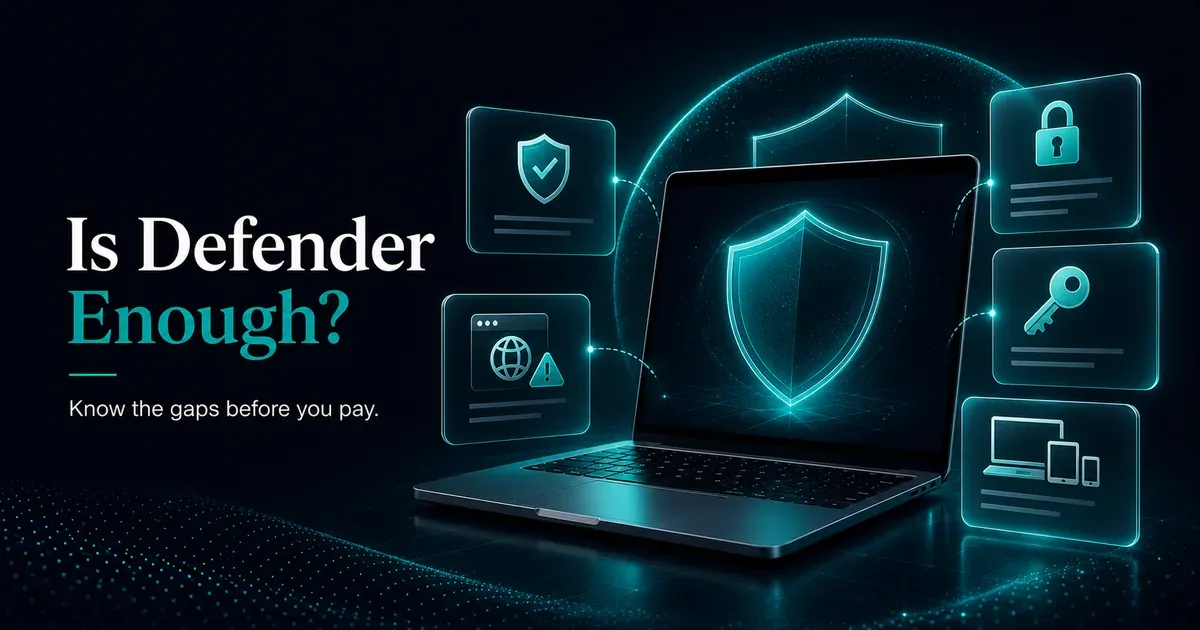
Windows Defender is enough for careful Windows users in 2026, but only if the rest of the setup is disciplined: updates, browser protection, password manager, and 2FA.
Best for
Careful home users who avoid unofficial downloads and want no subscription risk.
Avoid if
You need a bundled VPN, cross-device family coverage, identity monitoring, or stronger hand-holding.
Main tradeoff
Defender is clean and free, but it does not replace good habits or paid-suite extras.
Safer alternative
Bitdefender or ESET if your risk profile clearly needs a paid layer.
There’s a version of this question I used to answer based on habit: “You should get proper antivirus” was the reflex response. That’s what everyone said. That’s what I did on Windows for years without really examining whether it was necessary.
Then I started actually looking at the independent test data rather than assuming.
The honest answer is more interesting than either “Defender is fine, don’t worry” or “you definitely need paid antivirus.” It depends on who you are and what you’re doing.
Myth check
Defender myths worth clearing up
The real answer is not pro-Defender or anti-paid antivirus. It is about matching protection to the user.
Myth
Microsoft Defender is useless
Reality
Defender now earns strong independent lab results and is a valid baseline for careful Windows users.
GuardPick take
Start with Defender when your habits are low risk and you do not need bundled extras.
Turn on updates, use browser protection, add a password manager, and keep backups.
Myth
Paid antivirus always protects better
Reality
Paid suites can add useful layers, but core detection is close enough that pricing, usability, and extras matter.
GuardPick take
Pay only when the extra layer solves a real problem: family devices, VPN, identity alerts, or easier management.
Myth
A slow PC means you have a virus
Reality
Slowdowns often come from startup apps, old hardware, browser extensions, or heavy security suites.
GuardPick take
Scan calmly, but do not install random cleanup tools from search ads.
What the lab data actually shows
AV-TEST is an independent German security testing organization with no financial relationship with the products they test. Their February 2026 evaluation gave Microsoft Defender Antivirus a perfect 6 out of 6 across all three tested categories: protection, performance, and usability.
The protection test ran over 12,000 malware samples. Defender achieved 6/6, the same score as Bitdefender, Norton, and Kaspersky.
AV-Comparatives’ March 2026 Real-World Protection Test gave Defender a 98.5% detection rate. The top paid competitors scored 99.5%. That gap is real, but for most home users, the practical difference between 98.5% and 99.5% detection is small when the remaining risk is covered by habits.
This is not the story the paid antivirus industry wants told. They built businesses on the premise that Defender was inadequate. It’s not anymore.
Where Defender genuinely falls short
The gaps are real and worth knowing.
Phishing protection outside Edge. Defender’s web filtering integrates with Microsoft Edge. Chrome and Firefox users get partial coverage at best unless they install the free Microsoft Defender Browser Protection extension. Phishing is the most common attack vector for most people, so this matters.
No VPN. If you use public Wi-Fi at cafes, airports, or hotels, there’s no bundled VPN to encrypt your traffic. Paid suites often include one.
No password manager. Reused passwords are one of the most common ways accounts get compromised. Defender doesn’t address this at all. Neither do most paid antivirus suites, truthfully, but some bundle one in.
No dark web monitoring. Some paid suites notify you when your credentials appear in known data breaches. Defender doesn’t have this feature.
More false positives. Defender flags legitimate software as suspicious more often than top paid alternatives. Usually this is just an inconvenience: you approve the exception and move on. But it’s worth knowing if you regularly work with less mainstream software.
The configuration most people skip
Defender out of the box isn’t using all its available protection. Three things worth doing immediately:
Enable Controlled Folder Access. This is Defender’s ransomware protection. It blocks unauthorized apps from modifying files in your Documents, Desktop, and other protected folders. Go to Windows Security > Virus & Threat Protection > Ransomware Protection > turn on Controlled Folder Access. You’ll need to whitelist apps that legitimately need to write to those folders, but it’s worth the occasional approval prompt.
Install Defender Browser Protection in Chrome. If you use Chrome, search for “Microsoft Defender Browser Protection” in the Chrome Web Store. Free, from Microsoft, brings SmartScreen phishing detection to Chrome.
Enable automatic Windows updates. An up-to-date Windows installation with Defender is more secure than an outdated system with a premium antivirus. Updates patch the vulnerabilities that malware exploits.
That configuration costs nothing and meaningfully improves what Defender can do.
Practical checklist
Free security baseline
A few settings improve Microsoft Defender without buying another product.
Turn on
- Real-time protection
- Automatic Windows updates
- Controlled Folder Access
Add
- Password manager
- Browser protection extension if needed
- Cloud or offline backup
Avoid
- Cracked software
- Unknown browser extensions
- Running two real-time antivirus engines
The deeper point most articles miss
Every antivirus review eventually gets to the comparison table and the affiliate link. I’ll get there too. But there’s something worth saying first.
Independent lab testing places Defender alongside paid competitors for malware detection. The honest insight buried in the data: the overwhelming majority of successful infections don’t technically bypass antivirus. They succeed because a person clicked a link, opened an attachment, installed something from an unofficial source, or reused a password that leaked elsewhere.
A careful person running Defender, keeping Windows updated, avoiding unofficial downloads, using unique passwords, and not clicking unexpected email links, is more secure than a careless person running a premium suite who ignores those habits.
This doesn’t mean paid antivirus is useless. Extra features like VPN, password manager, and dark web monitoring address real risks that Defender ignores. If you use public Wi-Fi, handle sensitive data, or want coverage across multiple devices, there’s a clear case for paying.
My actual recommendation
For most Windows home users with careful habits: configure Defender properly as described above, add the browser extension, keep updates on. That’s genuinely enough.
If you want paid protection, Bitdefender is the one I’d suggest looking at first. It consistently earns top AV-TEST scores, it’s lighter than Norton on system resources, and the pricing at first year is reasonable. ESET is worth considering if you want the lightest possible impact on older hardware or if you want more transparent renewal pricing.
Neither is necessary if Defender + good habits already covers your realistic risk profile. Spend the $20-40 on a password manager instead. That probably moves the needle more.
Start trial Start trialSources and last checked notes
- AV-TEST, Windows home-user antivirus test results: https://www.av-test.org/en/antivirus/home-windows/
- AV-Comparatives, Windows antivirus test archive: https://www.av-comparatives.org/tests/
- Microsoft Support, Windows Security and Microsoft Defender Antivirus: https://support.microsoft.com/en-us/windows/security/windows-security/stay-protected-with-the-windows-security-app