Last reviewed: July 13, 2026
I installed Bitdefender on Windows for the first time around 2013. Not because I researched detection engines or compared lab scores. Just because everyone in the forums said it was good, so I did what you do: downloaded it, clicked through the setup, and forgot about it.
That was the right call for the wrong reasons.
More than a decade later, the antivirus market looks completely different. Windows Defender went from a punchline to a genuinely capable product. Kaspersky became politically complicated. TotalAV built a business around misleading renewal pricing. And the top products are now so close in detection rates that the real differences are in system impact, bundled features, and what happens when you try to cancel.
This guide covers what actually matters for a Windows user in 2026.
Editorial method
How these picks were filtered
This roundup weighs independent lab positioning, renewal pricing, system impact, and real-world fit for normal Windows users. Windows Defender stays in the comparison because free is sometimes the honest answer.
- 01
Real-world angle
We look at whether the product makes sense for normal Windows users, not only benchmark charts.
- 02
Independent research
When lab data is used, we name the source and date instead of repeating vague marketing claims.
- 03
Pricing check
Intro prices, renewal jumps, trial limits, and cancellation friction are part of the verdict.
- 04
Alternatives considered
Windows Defender and lower-cost options stay on the table when paid software is not necessary.
The short answer before the long one
If you want to stop reading here:
For most Windows users: Bitdefender Total Security. Best detection, lightest footprint of the premium options, lowest first-year price. Set a renewal reminder before year two.
If you specifically need unlimited VPN included: Norton 360 Deluxe. The only major antivirus with genuinely unlimited VPN data on consumer plans.
If VPN is the main product you need: NordVPN Complete plus Microsoft Defender or ESET. That is not as simple as one antivirus subscription, but it is often a cleaner setup than paying for an antivirus bundle mainly because the built-in VPN sounds good.
If you have older or slower hardware: ESET Internet Security. Lowest system impact of any tested product. Makes the biggest practical difference on machines with limited RAM.
If budget is a real constraint: Windows Defender with Controlled Folder Access enabled. Scored 6/6 in AV-TEST’s February 2026 evaluation. Free. No renewal surprises.
If you’re considering TotalAV: Read the billing section first.
Decision flow
Do you need paid antivirus?
The answer depends more on habits and exposure than on fear-based marketing.
- 01
Low exposure
Mainstream browsing, updated Windows, no cracked software, and unique passwords.
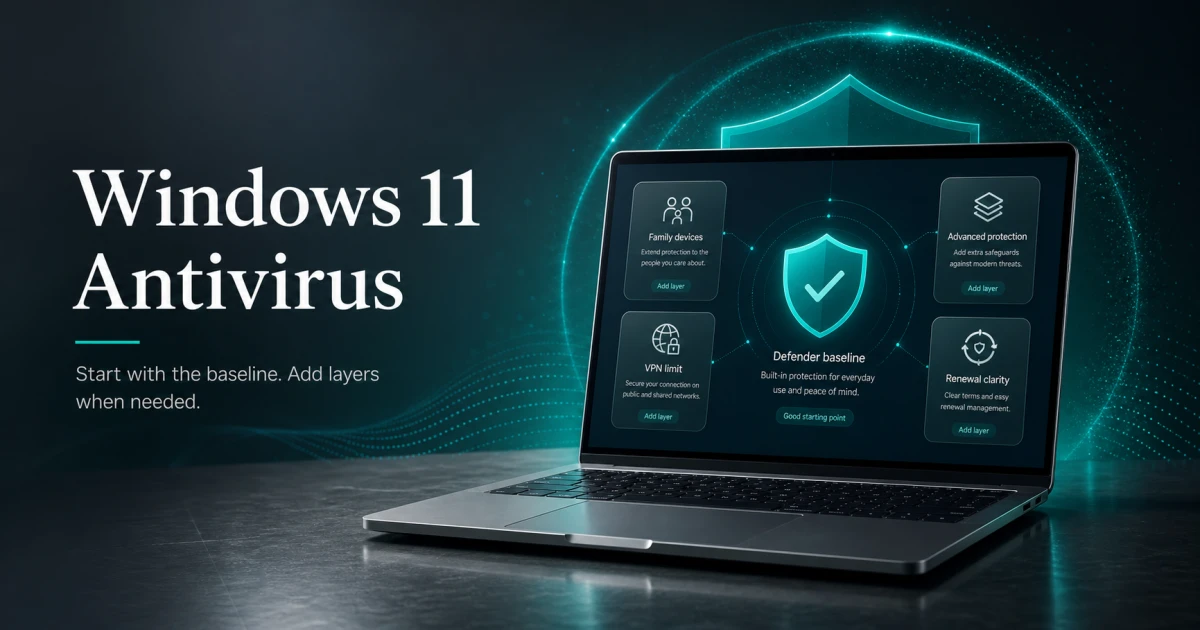
Defender is a reasonable baseline
- 02
Medium exposure
Public Wi-Fi, family devices, occasional unfamiliar downloads, or mixed Windows/Mac/Android use.
A paid suite may be useful
- 03
High consequence
Client files, business data, shared machines, or users who often click risky prompts.
Use stronger layers plus backup
What the independent labs actually say
There are two testing organizations worth paying attention to: AV-TEST (Germany) and AV-Comparatives (Austria). Both run antivirus products through thousands of real malware samples and publish results independently.
In AV-TEST’s February 2026 evaluation, Bitdefender Total Security, Norton 360, Kaspersky Premium, Microsoft Defender, McAfee, Avast, and AVG all earned perfect 6/6 scores across protection, performance, and usability.
That’s a meaningful statement: the free Windows Defender scored identically to products costing $40-125 per year in core detection tests.
In AV-Comparatives’ 2025 annual summary, Bitdefender was named Product of the Year for the fourth consecutive year, with a detection rate of 99.98% across 12 real-world protection tests. Norton and Kaspersky followed at 99.95%, ESET at 99.76%.
The difference between 99.98% and 99.76% is real but small. At this level, the decision should be made on system impact, features, and pricing, not detection rates alone.
Quick picks by situation
| Your situation | Best pick | Why |
|---|---|---|
| Most Windows users | Bitdefender Total Security | Top scores, lightest impact, best first-year value |
| Need unlimited VPN | Norton 360 Deluxe | Only suite with genuinely unlimited VPN |
| Need VPN-first security | NordVPN Complete + Defender or ESET | Stronger VPN focus with browsing and download protection |
| Older or slow PC | ESET Internet Security | Lowest system impact in independent testing |
| Budget: $0 | Windows Defender | 6/6 AV-TEST, free, no renewal surprises |
| Budget: under $15/yr | Bitdefender Antivirus Plus | Same engine as Total Security at lower price |
| Setting up for parents | Bitdefender Total Security | Autopilot mode needs zero user interaction |
| Students | Bitdefender student offer when available | Low student pricing when the offer is active |
| Remote workers | Bitdefender or Norton | VPN + ransomware defense for home office |
| Gaming PC | ESET or Bitdefender | Both run quietly during gameplay |
| Secondary scanner | Malwarebytes Free | Catches adware Defender misses, no conflicts |
Best-list matrix
Fast pick matrix
Use this when you already know your main constraint: price, VPN, older hardware, or low-friction setup.
Bitdefender Total Security
Check current priceBest for
Most Windows users who want a paid suite.
Why it fits
Strong lab positioning, broad protection, and a quieter experience than many full suites.
Watch out
The renewal price matters more than the first-year promo.
Norton 360 Deluxe
See pricingBest for
People who specifically need unlimited VPN bundled with antivirus.
Why it fits
The VPN is the clearest reason to pick Norton over another paid suite.
Watch out
Renewal pricing needs active management.
Microsoft Defender
Best for
Careful Windows users with no need for bundled extras.
Why it fits
Free, built into Windows, and avoids subscription friction.
Watch out
Add good habits, browser caution, password management, and backups.
NordVPN Complete
Check NordVPN dealBest for
Users who want a real standalone VPN plus browsing and malicious-download protection.
Why it fits
It pairs well with Defender or ESET when VPN is the gap, not core antivirus detection.
Watch out
Not a one-to-one replacement for a full traditional antivirus suite.
The products worth considering
Bitdefender Total Security
According to AV-Comparatives’ March 2026 Malware Protection Test, Bitdefender demonstrated a 99.94% online protection rate with only 4 false alarms. It’s been named AV-Comparatives Product of the Year four times in a row.
The Autopilot mode is what makes it work for most users. It makes security decisions without asking for input and runs background scans without notification. The main screen shows one indicator: protected or not. That is what most people want from antivirus: something that works without requiring attention.
The bundled VPN is capped at 200MB per day on Total Security. Fine for checking bank details on public Wi-Fi, not enough for streaming or daily browsing. If you need a real VPN, compare Norton for all-in-one simplicity against NordVPN Complete plus Defender or ESET for a cleaner VPN-first setup.
Pricing
First year
$19.99
Renewal (year 2+)
$89.99 +350%
⚠️ Note: renewal price increases significantly after year 1. Set a calendar reminder before auto-renewal.
Prices last checked: Jun 2026. May vary. Affiliate disclosure.
The renewal price is the main thing to know before buying. Year one at $19.99 is one of the best deals in paid antivirus. Year two at $89.99 is a 350% increase. Set a calendar reminder about 30 days before renewal. Bitdefender allows canceling and resubscribing, so some buyers use that to get the promotional rate again.
Best for: Most Windows users who want set-and-forget protection. Skip if: You need unlimited VPN, or won’t manage the renewal price jump.
Check current price Start trialNorton 360 Deluxe
In AV-TEST’s February 2026 report, Norton 360 received a perfect 6/6 score across protection, performance, and usability. In AV-Comparatives’ April 2026 test, Norton 360 scored 90/100 in AVC and 5.3 in system impact, lower impact than Bitdefender’s 9.6.
Norton’s distinct advantage is the VPN. Unlike Bitdefender’s 200MB daily cap, Norton includes genuinely unlimited VPN data on all 360 plans. If you regularly use public Wi-Fi at cafes, hotels, or airports, that’s a real differentiator.
The suite also includes dark web monitoring, a password manager, 50GB cloud backup, and parental controls. The most complete consumer package in the market, in terms of feature count.
Pricing
First year
$42.00
Renewal (year 2+)
$94.99 +126%
⚠️ Note: renewal price increases significantly after year 1. Set a calendar reminder before auto-renewal.
Prices last checked: Jun 2026. May vary. Affiliate disclosure.
The renewal price is significant. Norton 360 Deluxe starts around $42 for the first year and renews at $94.99. Auto-renewal is enabled by default. Check your account settings immediately after purchase if you want to control this manually.
Best for: Users who specifically want unlimited VPN bundled in. Families who want parental controls and identity monitoring. Skip if: You don’t need VPN or identity features. Bitdefender gives equivalent detection at lower two-year cost.
Check Norton pricingNordVPN Complete: when VPN is the real gap
NordVPN Complete is not a normal antivirus replacement. It is a VPN-first security subscription with anti-malware and browsing protection, ad and tracker blocking, and malicious-download checks. That makes it useful for a different reader: someone who is already comfortable using Microsoft Defender or ESET for device protection, but wants a stronger standalone VPN than the small VPN bundled into many antivirus plans.
I would not put it above Bitdefender or ESET as the default “best antivirus” pick. I would put it beside them when the question becomes: “Should I buy a security suite for the VPN, or keep antivirus and VPN separate?”
Best for: public Wi-Fi users, travelers, remote workers, and Chromebook users who need VPN-first protection.
Skip if: you want one traditional antivirus suite to manage a shared Windows PC with risky download habits.
Check NordVPN dealESET Internet Security
In AV-Comparatives’ performance test, ESET Smart Security Premium achieved the best performance impact score at 1.4 out of 100, the lowest system impact of any product tested. ESET and Bitdefender use 200-280MB of RAM when idle, versus 350-400MB for Norton and Kaspersky.
This matters most on older machines. App launches slow down by 0.9% with ESET versus 6.4% with McAfee. Copying local files: +1.1% with ESET versus +14.7% with McAfee. On a five-year-old laptop with 8GB RAM, these numbers make a real practical difference.
ESET also covers Windows, Mac, Linux, and Android under one license. If you run Linux for development work, ESET is one of the few consumer products that includes it.
The pricing is more transparent than Bitdefender: the renewal price is closer to the first-year price, so there’s no dramatic second-year shock.
Pricing
First year
$49.99
Renewal (year 2+)
$59.99 +20%
Prices last checked: Jun 2026. May vary. Affiliate disclosure.
Best for: Older hardware, Linux users, anyone who prioritizes transparent renewal pricing. Skip if: You need parental controls (ESET doesn’t include them) or want an all-in-one suite.
Check current price Start trialWindows Defender
The honest case for free:
Microsoft Defender Antivirus received a perfect 6/6 across protection, performance, and usability in AV-TEST’s February 2026 evaluation, the same score as Bitdefender, Norton, and Kaspersky.
It’s built into Windows 10 and 11. No download, no account, no renewal. It updates automatically through Windows Update.
The gaps are real: phishing protection works best in Edge (install the browser extension for Chrome), no VPN, no password manager, and offline detection is slightly lower than top paid products. But for a careful user who keeps Windows updated and avoids unofficial software sources, Defender covers most realistic threats.
What makes Defender better: Enable Controlled Folder Access (Windows Security > Ransomware Protection > Controlled Folder Access). This blocks unauthorized apps from encrypting your Documents folder. It is the most important ransomware defense available in Windows, and it costs nothing.
Add Malwarebytes Free for monthly on-demand scans. The two don’t conflict and together cover the main gaps in free protection.
Best for: Careful Windows users who want protection without subscription costs. Skip if: You use public Wi-Fi regularly, want multi-device coverage, or need identity monitoring.
What about Emsisoft?
Emsisoft is worth mentioning for users who specifically want focused protection without upsell behavior. The dual-engine setup (Emsisoft + Bitdefender engine) provides genuine detection capability, the interface has no cross-promotion panels, and renewal pricing is stable year over year. Same price every year, no promotional jump.
The main limitation: Emsisoft doesn’t regularly submit to AV-TEST consumer evaluations, so independent benchmarking is limited.
Start trialThe renewal price trap: read before buying anything
Almost every antivirus product uses promotional first-year pricing. The real cost is what you pay at renewal.
Windows Defender
- Year 1
- Free
- Year 2+
- Free
- 2-year total
- $0
- Notes
- Built-in
Bitdefender Antivirus Plus
- Year 1
- $12.99
- Year 2+
- $49.99
- 2-year total
- ~$63
- Notes
- Windows only
Bitdefender Total Security
- Year 1
- $19.99
- Year 2+
- $89.99
- 2-year total
- ~$110
- Notes
- Multi-platform
ESET Internet Security
- Year 1
- $49.99
- Year 2+
- $59.99
- 2-year total
- ~$110
- Notes
- Stable pricing
Norton 360 Deluxe
- Year 1
- $42.00
- Year 2+
- $94.99
- 2-year total
- ~$137
- Notes
- Unlimited VPN
Malwarebytes Premium
- Year 1
- $44.99
- Year 2+
- $59.99
- 2-year total
- ~$105
- Notes
- Best secondary
TotalAV Antivirus Pro
- Year 1
- $19.00
- Year 2+
- $99-119
- 2-year total
- ~$118-138
- Notes
- Billing complaints
| Product | Year 1 | Year 2+ | 2-year total | Notes |
|---|---|---|---|---|
| Windows Defender | Free | Free | $0 | Built-in |
| Bitdefender Antivirus Plus | $12.99 | $49.99 | ~$63 | Windows only |
| Bitdefender Total Security | $19.99 | $89.99 | ~$110 | Multi-platform |
| ESET Internet Security | $49.99 | $59.99 | ~$110 | Stable pricing |
| Norton 360 Deluxe | $42.00 | $94.99 | ~$137 | Unlimited VPN |
| Malwarebytes Premium | $44.99 | $59.99 | ~$105 | Best secondary |
| TotalAV Antivirus Pro | $19.00 | $99-119 | ~$118-138 | Billing complaints |
Always look up the renewal price on the vendor’s pricing page before buying. It is always disclosed somewhere, but not always prominently.
Pricing clarity
Antivirus subscription renewal check
Introductory pricing can be meaningfully different from the price you pay after the first term. Verify the renewal terms before checkout.
First term
$0-$49.99
Often the advertised price. Confirm device count, term length, and included features.
Renewal
$49.99-$124.99+
This is the number that matters if auto-renewal stays enabled after year one.
Before you buy
Compare the first-year price against the renewal price before buying. If the year-two number feels wrong, start with Defender or a lower-cost plan instead. Prices last checked: June 2026.
What antivirus doesn’t protect you from
This is the section most antivirus review sites skip.
Phishing that doesn’t use malware. A convincing fake login page doesn’t need to install anything. Your bank credentials can be stolen through a believable email and a website that looks legitimate. Antivirus web filtering catches many of these, not all. Two-factor authentication on your email and banking accounts matters more for this specific risk.
Social engineering. If someone calls pretending to be Microsoft support and you give them remote access to your computer, no antivirus stops what happens next. This is the most common attack vector for seniors and less tech-savvy users.
Credential stuffing. If your password from a breached service is reused elsewhere, attackers can access your accounts without any malware. A password manager with unique passwords per account is more important than the choice of antivirus.
Your own mistakes. Clicking a link in an email you weren’t expecting, downloading software from unofficial sources, or running a “free” version of paid software from a torrent: antivirus provides a second line of defense for these, but it is not a substitute for the first line.
Good habits plus decent antivirus beats premium antivirus plus careless behavior. Every time.
The honest security checklist for Windows in 2026
Antivirus is one item on this list, not the whole list:
- Bitdefender or ESET running and up to date
- Windows Defender Controlled Folder Access enabled
- Two-factor authentication on email, banking, important accounts
- Unique passwords per account via password manager (Bitwarden is free and excellent)
- Windows updates set to automatic
- Router firmware updated, default admin password changed
- Browser extension: Microsoft Defender Browser Protection in Chrome
If you’re going to do only one thing beyond basic antivirus: enable 2FA on your email. Whoever controls your email effectively controls everything else.
Practical checklist
Free security baseline
A few settings improve Microsoft Defender without buying another product.
Turn on
- Real-time protection
- Automatic Windows updates
- Controlled Folder Access
Add
- Password manager
- Browser protection extension if needed
- Cloud or offline backup
Avoid
- Cracked software
- Unknown browser extensions
- Running two real-time antivirus engines
What about TotalAV?
TotalAV’s detection performance is real. It earned 6/6 across protection, performance, and usability in AV-TEST’s February 2026 evaluation.
The software works. The billing model is the problem.
The documented pattern across Trustpilot, Reddit, and consumer complaint boards is consistent: renewal charges that appear without adequate notice, prices that users describe as different from what they agreed to, and a cancellation process that users consistently describe as more difficult than it should be.
At the price Bitdefender and ESET offer equivalent or better protection with more transparent billing, TotalAV is hard to recommend. If you already have it, the software will protect your machine. Just check your account settings for the renewal date and auto-renewal toggle immediately.
Further reading
- Do I Still Need Antivirus in 2026?: if you’re not sure whether you need paid protection at all
- Is Windows Defender Enough in 2026?: the honest answer with lab data
- Bitdefender vs Norton: if you’re deciding between the two
- Best Antivirus for Seniors: set-and-forget setup for less tech-savvy users
- Best Antivirus for Students: budget picks with student discount checks
- Best Antivirus for Remote Workers: home office security gaps
- Best Free Antivirus for Windows: when free is genuinely enough
- How to Choose Antivirus Software: the decision framework
Sources and last checked notes
- AV-TEST, Windows home-user antivirus test results archive: https://www.av-test.org/en/antivirus/home-windows/
- AV-Comparatives, Malware Protection Test March 2026 and test archive: https://www.av-comparatives.org/tests/
- Microsoft Support, Windows Security and Microsoft Defender Antivirus: https://support.microsoft.com/en-us/windows/security/windows-security/stay-protected-with-the-windows-security-app
- Bitdefender Individual Plans: https://www.bitdefender.com/en-us/consumer/individual
- ESET Home Protection Plans: https://www.eset.com/us/home/protection-plans/
- Norton 360 Deluxe product page: https://us.norton.com/products/norton-360-deluxe
- Malwarebytes pricing: https://www.malwarebytes.com/pricing