Last reviewed: July 1, 2026
GuardPick snapshot
The short version
For most Windows users, the anti-malware question is really two separate questions: do I need a second layer on top of Windows Defender, and do I need a dedicated cleanup tool for adware and bundled junk? The answers are often different.
Best for
Users who want a lightweight second-opinion tool alongside Defender, or a full security suite with consistently strong independent lab scores.
Avoid if
You are looking at free PC cleaner tools that flag dozens of threats before asking for payment — most of those tools are the actual threat.
Main tradeoff
Standalone anti-malware tools have a smaller footprint but fewer features. Full security suites offer broader coverage with more overhead and higher renewal prices.
Safer alternative
Windows Defender for real-time protection, Malwarebytes Free for occasional on-demand scans — both free.
I’ve cleaned malware off WordPress sites more times than I’d like to count. PHP backdoors stuffed into plugin files, spam links injected into .htaccess, fake admin accounts that keep coming back after deletion. The hard part is never the cleanup. It is figuring out the entry point.
Most of those infections had nothing to do with antivirus software on anyone’s Windows machine. The entry point was usually an outdated plugin, a weak FTP password, or a vulnerable theme. The antivirus on the site owner’s laptop would not have caught it.
That is a different threat model from what everyday Windows users actually face: ransomware, adware bundled into free software installers, browser hijackers, and the opportunistic junk that arrives in download packages. That is where anti-malware earns its place — or doesn’t.
The picks below focus on products with documented independent lab performance, honest renewal pricing, and a realistic fit for ordinary Windows users.
Quick picks
| Pick | Best for | Year-1 price | Renewal |
|---|---|---|---|
| Malwarebytes Premium | Best standalone anti-malware | ~$44.99 | ~$59.99 |
| Bitdefender Total Security | Best full security suite | $59.99 (5 devices) | Check at checkout |
| ESET HOME Security Essential | Best balanced performance | Check current price | Check at checkout |
| Emsisoft Anti-Malware | Best dedicated anti-malware suite | ~$29.99 | ~$29.99 |
| Windows Defender | Best free option | Free | Free |
Verify all pricing at checkout. Introductory rates can differ significantly from year-two renewal rates.
Best-list matrix
Quick pick matrix
Use this as a first-pass filter before comparing prices, renewals, and bundled extras.
Malwarebytes Premium
Check current priceBest for
Users who want a focused, lightweight anti-malware layer alongside Windows Defender, or a standalone tool that targets adware and PUPs aggressively.
Why it fits
Malwarebytes built its reputation on catching what traditional antivirus missed: adware, browser hijackers, and bundleware. It runs alongside Defender without conflicts, making it the most practical second-opinion choice for everyday Windows use.
Watch out
Malwarebytes Premium is not a full antivirus replacement for every household. Use it deliberately alongside Defender rather than as a standalone replacement unless you know what you are giving up.
Bitdefender Total Security
Check current priceBest for
Users who want a full security suite with strong detection scores, parental controls, and multi-device coverage under one subscription.
Why it fits
Bitdefender consistently scores near the top in AV-TEST and AV-Comparatives protection tests. Autopilot mode runs without requiring constant decisions. On modern hardware the performance footprint is manageable.
Watch out
The year-two renewal price is roughly 3× the introductory rate. Check the renewal figure at checkout before purchasing.
ESET HOME Security Essential
Check current priceBest for
Users who want strong detection without a heavy suite, particularly on older or mid-range hardware where system impact is a real concern.
Why it fits
ESET has a small system footprint relative to its detection capability and is a consistent performer in independent lab tests. Renewal pricing does not triple after year one.
Watch out
ESET HOME Security Essential is the entry tier. If you need parental controls or identity protection, check ESET HOME Security Premium before buying.
Emsisoft Anti-Malware
Check current priceBest for
Users who specifically want a product built around anti-malware detection, with a stable renewal price and no upsell pressure toward extras they do not need.
Why it fits
Emsisoft focuses on behavioral detection and ransomware protection without loading a full suite of bundled extras. Renewal pricing is more stable than most competitors in this category.
Watch out
Less brand recognition than Bitdefender or ESET. That is not a reflection of detection quality, but it means fewer third-party comparisons to draw from when making a decision.
Anti-malware vs antivirus: what the label actually means
The short version: modern antivirus and anti-malware software are the same product category with different marketing language.
Traditional antivirus was designed to detect file-based viruses that self-replicated across systems. Anti-malware emerged as a term when threats expanded to include adware, spyware, rootkits, ransomware, and browser hijackers. Threats that older antivirus engines were slower to cover. Today, every credible product on this list covers both categories. “Antivirus” products detect malware. “Anti-malware” products detect viruses. The distinction is legacy branding.
What the label sometimes signals is focus. A product called “anti-malware” often emphasizes behavioral detection, PUP removal, and adware cleanup over firewall features and VPN bundles. That can matter if you specifically want a lightweight second-opinion tool rather than a full security suite. Malwarebytes and Emsisoft both sit in that camp. Bitdefender and ESET are closer to the full-suite side of the spectrum.
The useful question is not what the product calls itself. It is whether independent labs have tested it, what they found, and what the year-two price looks like.
Malwarebytes Premium: best standalone anti-malware
Malwarebytes became the standard “run this alongside your antivirus” recommendation because it covered threats that traditional antivirus tools were slow to address: aggressive adware, browser hijackers bundled in free software, and the broad category of potentially unwanted programs.
Malwarebytes Premium adds real-time protection on top of the on-demand scanning that made the free version popular. It runs alongside Windows Defender without the conflict issues you get from running two full antivirus engines simultaneously. That makes it the most practical second-opinion layer for everyday Windows users who do not want to replace Defender entirely.
Based on AV-TEST data, Malwarebytes scores competitively on standard malware detection. Its adware and PUP coverage tends to be more aggressive than traditional antivirus suites, which is where it earns its place for users who encounter these threats regularly through software downloads. The 14-day trial is a reasonable way to verify fit before committing to a subscription.
Start 14-day free trialBitdefender Total Security: best full security suite
If you want a full security suite rather than a focused anti-malware tool, Bitdefender has been near the top of AV-TEST and AV-Comparatives protection tests consistently. In AV-TEST June 2025 home-user testing, Bitdefender scored 99.9% on malware detection. About as high as these scores go.
Autopilot mode is the feature that matters most for non-technical users: it handles security decisions automatically so you are not making choices you are not qualified to evaluate. Parental controls are included in the full suite, which makes it a reasonable pick for family households with multiple Windows devices.
I used to install antivirus because that’s what you did on Windows. Not because I understood threat models. Just because everyone said Bitdefender was good.
I used Bitdefender on Windows for years before switching to Mac. The product quality is not the complaint. The pricing structure requires reading the fine print. The introductory rate is substantially lower than what year two costs. Verify the renewal at checkout, not from the landing page promo.
ESET HOME Security Essential: best balanced option
ESET’s argument for this list is performance consistency. In AV-Comparatives’ April 2025 performance tests, ESET was among the products with the smallest system impact on daily tasks. That matters on older hardware or for users who simply prefer a security product that does not make itself obvious.
In AV-TEST June 2025 home-user results, ESET scored 98.9% on malware detection — competitive without reaching Bitdefender’s peak. For everyday Windows threats, that difference is not meaningful for most users. The stronger argument for ESET is that its renewal pricing is more predictable than most competitors: the year-two rate does not triple. ESET has restructured its consumer lineup into HOME Security tiers (Essential, Premium, Ultimate) — verify the current tier, device count, and pricing at checkout before purchasing.
Start 30-day free trialEmsisoft Anti-Malware: best dedicated anti-malware suite
Emsisoft is the product on this list that most directly lives up to the anti-malware label. Its detection engine focuses on behavioral monitoring and ransomware protection — the threats that matter most for everyday Windows users who are not primarily worried about old-school file viruses.
The product does not come loaded with extras. No VPN upsell, no password manager bundle, no PC cleaner add-on. That is deliberate: Emsisoft focuses on the core protection layer and keeps the interface straightforward. For users who find full security suites excessive, that restraint is the selling point.
Renewal pricing is notably stable: the year-two rate is close to the introductory price. That is uncommon in the consumer security market, where introductory deals are routinely followed by renewal rates two to three times higher.
Check current priceWindows Defender: the free baseline
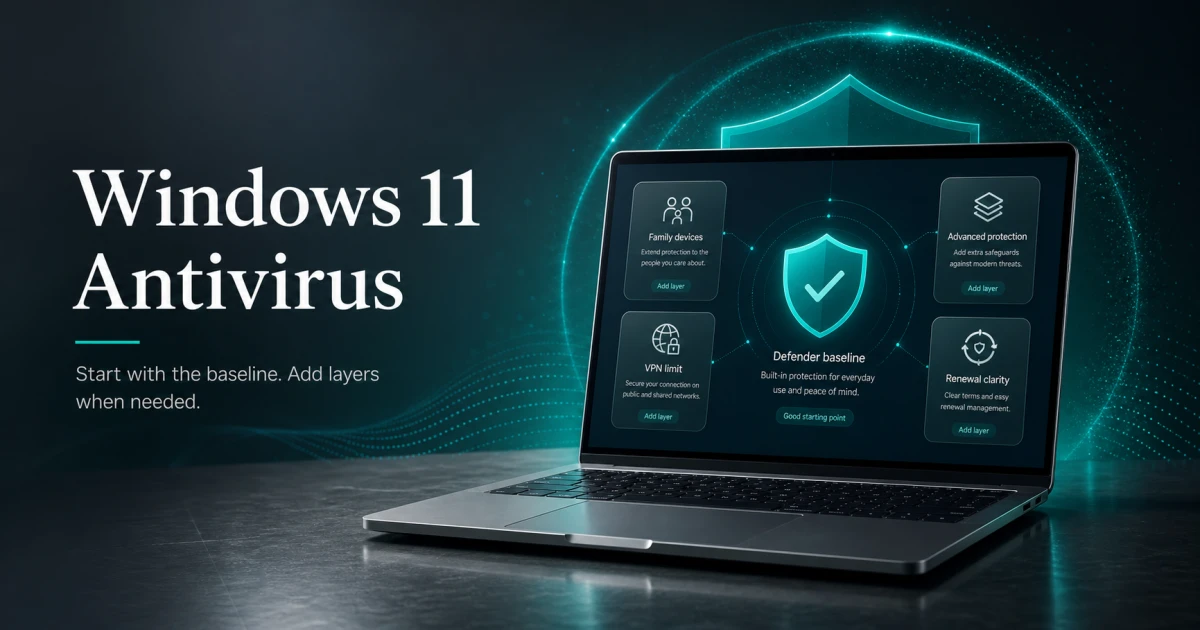
Windows Defender is already installed on your Windows 11 machine and costs nothing. For a careful everyday user — someone who downloads software from official sources, avoids pirated content, and keeps Windows updated — it is a sufficient anti-malware baseline.
Independent labs have taken Defender more seriously over the past several years. AV-TEST June 2025 results show Microsoft Defender at 99.7% detection on standard malware sets — comparable to most paid products. The “you need paid antivirus” narrative has not caught up with how much the free built-in option has improved.
Where Defender is less aggressive: adware bundled into free software installers, browser extensions that quietly redirect search settings, and the grey-zone category of potentially unwanted programs. These are annoying more than dangerous, but they are common. Adding Malwarebytes Free as a monthly on-demand scan addresses that gap without a subscription.
What to avoid when choosing anti-malware software
Practical checklist
Red flags in anti-malware software
The anti-malware category has more low-quality and outright scam products than almost any other software category. These patterns tell you to look elsewhere.
Skip any product that does these
- Shows an alarming scan result before you pay — legitimate tools do not withhold basic threat removal behind a paywall.
- Appears in browser pop-ups or website banners claiming your PC is already infected.
- Markets itself primarily as a PC cleaner or registry optimizer, with anti-malware listed as a secondary feature.
- Cannot be found in AV-TEST or AV-Comparatives test results — independent lab coverage is the minimum credibility bar.
- Uses countdown timers or deal-expiring pressure to push a purchase decision.
- Hides the year-two renewal price until after checkout or on the billing page.
Habits that protect you before the software does
- Download software only from official vendor sites or established platforms — not third-party download aggregators.
- Read installer screens carefully — most bundled PUPs arrive via pre-ticked 'custom install' checkboxes.
- Keep Windows Update current — most malware exploits vulnerabilities that already have patches available.
- Check year-two renewal pricing before purchasing, not after the trial ends.
- Use a browser content blocker such as uBlock Origin — it prevents many adware and scam delivery vectors before they reach your anti-malware.
Pricing comparison
| Plan | Devices | Year 1 | Renewal | |
|---|---|---|---|---|
| Malwarebytes Premium (1 device) Best value | 1 device | $44.99 | $59.99 | Check current price → |
| Bitdefender Total Security | 5 devices | $59.99 | — | Check current price → |
| ESET HOME Security Essential | Varies by tier | $59.99 | — | Check current price → |
| Emsisoft Anti-Malware | 1 device | $29.99 | $29.99 | Check current price → |
| IObit Malware Fighter Pro | 3 PCs | $23.99 | — | Check current price → |
| Windows Defender | Unlimited | $0.00 | — | Read guide → |
All prices are approximate and were checked in early July 2026. Introductory rates, device counts, and plan structures change without notice — verify at checkout before purchasing.
Who each pick is for
Audience match
Match the pick to the person
The safest choice changes by habits, budget, and who manages the device.
Reader profile
Careful Windows 11 user, downloads from official sources
Recommended choice
Windows Defender
Why
Already installed, zero cost, no renewal to track. AV-TEST June 2025 scores at 99.7% — enough for controlled download habits.
Avoid / watch out
Less aggressive on adware and PUPs from unofficial sources and free software bundles.
Reader profile
User who wants a second layer alongside Defender
Recommended choice
Malwarebytes Premium
Why
Designed to run alongside Defender without conflicts. Strong on adware, browser hijackers, and potentially unwanted programs.
Avoid / watch out
Not a full suite replacement if you need parental controls or multi-device VPN coverage.
Reader profile
Family household, multiple Windows devices
Recommended choice
Bitdefender Total Security
Why
5-device plan, parental controls, and Autopilot mode that handles security decisions automatically.
Avoid / watch out
Renewal jumps to roughly 3× the introductory rate. Verify at checkout before purchasing.
Reader profile
Older or mid-range hardware, performance-sensitive
Recommended choice
ESET HOME Security Essential
Why
Consistently low system impact in AV-Comparatives performance tests. Predictable renewal pricing that does not triple after year one.
Avoid / watch out
Leaner feature set than Bitdefender — check ESET HOME tier details if parental controls are required.
Reader profile
User who wants focused protection without suite extras
Recommended choice
Emsisoft Anti-Malware
Why
Behavioral detection and ransomware focus without VPN upsells or bundled PC tools. Stable renewal pricing.
Avoid / watch out
Less third-party documentation than Bitdefender or ESET. Fewer community guides and comparisons to reference.
What about Windows Defender?
Most anti-malware roundups skip Defender or mention it briefly before steering toward a paid product. The honest position: for the majority of Windows 11 users with careful download habits, Defender is sufficient anti-malware protection.
What Defender handles: real-time protection, ransomware folder access control, behavioral monitoring, and phishing protection in Edge. That covers the primary threat vectors for users who stick to official software sources and keep Windows updated.
What it handles less aggressively: adware bundled into free software installers, browser extensions that hijack search settings, and the grey-zone category of potentially unwanted programs. These are common annoyances rather than critical threats, but they are common.
The practical setup that covers both without a subscription: Defender as the real-time layer, Malwarebytes Free for a monthly on-demand scan, uBlock Origin in the browser. All free, no renewal to track. If you need parental controls, multi-device management, or a VPN on top of that, then a paid product earns its place. Otherwise, you are paying for coverage you already have.
Editorial method
How this was checked
GuardPick reviews combine a real-world Windows user angle with source checks, pricing context, and safer alternatives. We are not an antivirus lab, and we do not treat affiliate payouts as a recommendation signal.
- 01
Real-world angle
We look at whether the product makes sense for normal Windows users, not only benchmark charts.
- 02
Independent research
When lab data is used, we name the source and date instead of repeating vague marketing claims.
- 03
Pricing check
Intro prices, renewal jumps, trial limits, and cancellation friction are part of the verdict.
- 04
Alternatives considered
Windows Defender and lower-cost options stay on the table when paid software is not necessary.
Related reading
Emsisoft Anti-Malware review · ESET Internet Security review · IObit Malware Fighter review · ESET vs Bitdefender · Windows Defender vs paid antivirus · Best antivirus software overall · How to choose antivirus software