Last reviewed: June 27, 2026
GuardPick snapshot
The short version
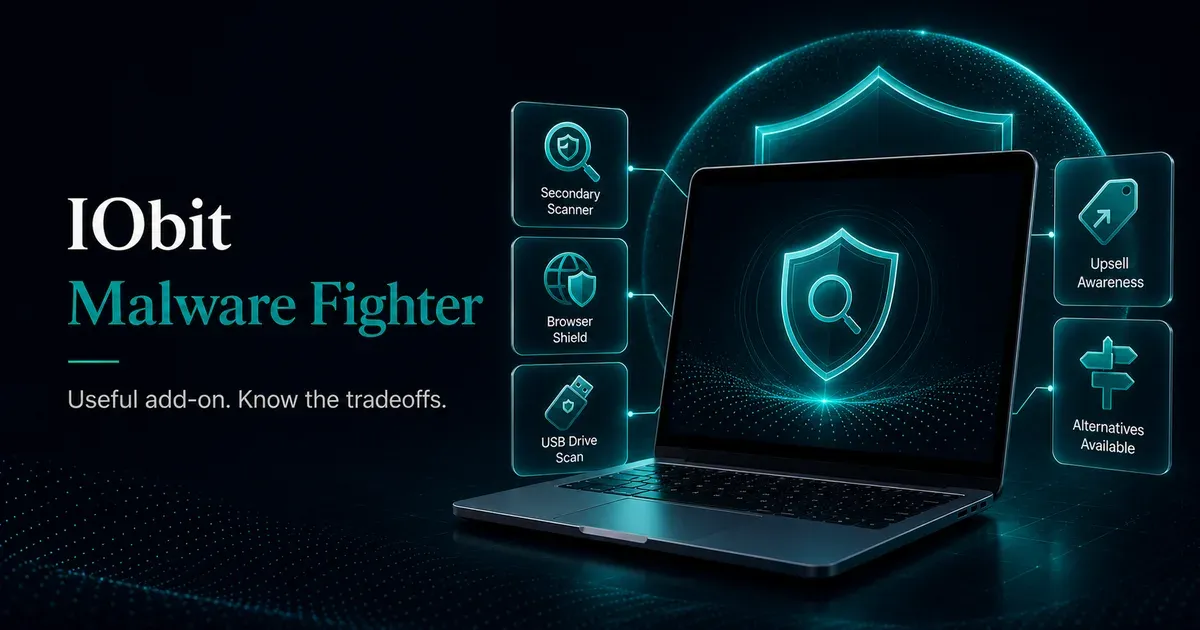
IObit Malware Fighter can make sense as a secondary scanner, but it is not the primary antivirus I would put in front of a normal Windows user.
Best for
Windows users who want extra browser, USB, and periodic malware scanning on top of Microsoft Defender.
Avoid if
You want a quiet primary antivirus with regular independent lab testing and low upsell pressure.
Main tradeoff
Useful add-on features, but a weaker trust profile than Bitdefender, ESET, or Defender.
Safer alternative
Use Microsoft Defender as the baseline, then consider Bitdefender or ESET if you want paid primary protection.
Product fit
Who IObit Malware Fighter fits best
This is an editorial fit check, not a lab score. It is meant to help you decide whether the product matches your situation.
Good fit
- Users who specifically want a secondary malware scanner.
- People who plug in USB drives often and want another check.
- Windows users comfortable ignoring or disabling IObit upsell prompts.
Poor fit
- Anyone looking for a primary antivirus replacement.
- Users who dislike bundled installers or cross-promotion inside paid apps.
- Buyers who rely on current AV-TEST or AV-Comparatives consumer results.
Best use case: A secondary layer beside Defender, not a full replacement for it.
Watch out: Installation checkboxes and in-app promotions deserve attention before and after purchase.
I’ve cleaned enough malware off WordPress sites to develop a working suspicion of software that promises broad protection but leans harder on marketing than lab results. IObit Malware Fighter sits in awkward territory. Some features are genuinely useful, the company is real, and the Pro version borrows Bitdefender’s engine. Then the app keeps nudging you toward other IObit products, which makes the security dashboard feel a little too close to a sales funnel.
What IObit Malware Fighter actually is
Malware Fighter is IObit’s security-focused product, separate from Advanced SystemCare, which handles PC optimization. The free version provides manual scanning and basic browser protection. The Pro version adds real-time protection, ransomware protection, and the Bitdefender anti-malware engine alongside IObit’s own scanner.
Marketing vs usefulness
IObit feature reality check
Some IObit features are useful as a secondary layer. They are not enough by themselves to make it a primary antivirus pick.
Bitdefender engine in Pro
Sounds useful because
Bitdefender has strong independent lab positioning as a standalone antivirus vendor.
Reality check
This is proxy confidence, not a direct AV-TEST result for the full IObit product.
GuardPick take
Useful signal, but not a reason to replace Defender or a tested paid suite by itself.
USB Disk Guard
Sounds useful because
Removable drives can carry unwanted software between PCs.
Reality check
Useful if you handle USB drives often; less relevant if you rarely plug in outside storage.
GuardPick take
Good secondary-layer feature for the right user.
Browser protection
Sounds useful because
Most normal users face more web and download risk than exotic malware.
Reality check
Browser protection helps, but it does not replace careful download habits or phishing awareness.
GuardPick take
Useful only as part of a broader setup with Defender, updates, and safer browsing.
IObit ecosystem prompts
Sounds useful because
The app can point users toward cleanup, VPN, or maintenance tools.
Reality check
For many users, those prompts feel like upsells rather than security help.
GuardPick take
A buying friction point, especially for people who dislike cross-promotion.
The upsell problem
During installation, third-party extras are bundled by default. Watch the checkboxes or you may install software you did not intend to install. Inside the app, the Action Center panel is largely dedicated to promoting other IObit products. Notifications suggest purchasing Advanced SystemCare, iTop VPN, or other tools with reasonable frequency.
That does not make the software unsafe. It does mean the product asks for more patience than ESET, Emsisoft, or Defender. If upsell behavior in paid software bothers you, Malware Fighter will bother you consistently.
Detection performance
The Pro version uses the Bitdefender scanning engine as one of its two detection layers. That is a meaningful proxy because Bitdefender’s engine consistently earns top scores independently. But IObit Malware Fighter does not participate in AV-TEST or AV-Comparatives consumer evaluations regularly, so there is no independent benchmark for the full product.
The free version’s protection is limited and shouldn’t be relied on as primary security. Pro improves things meaningfully.
What it does well
USB Disk Guard automatically scans USB drives when connected. Browser protection covers Chrome, Edge, and Firefox. Interface simplicity matters here: the main scan screen is accessible for non-technical users. Scan speed is fast.
Pricing
Pricing clarity
IObit Malware Fighter renewal check
Introductory pricing can be meaningfully different from the price you pay after the first term. Verify the renewal terms before checkout.
First term
$25.99
Often the advertised price. Confirm device count, term length, and included features.
Renewal
$39.99
This is the number that matters if auto-renewal stays enabled after year one.
Before you buy
Check installer options, review renewal terms, and keep Defender enabled unless you intentionally choose another primary antivirus. Prices last checked: June 2026.
Affiliate link. Review installer options and renewal terms before checkout.
Renewal pricing is reasonable. The jump from first year to renewal is not dramatic, and the 60-day money-back guarantee is generous.
How to actually use this
The most sensible setup: Windows Defender as primary real-time protection, Malware Fighter as a secondary scanner for periodic checks and USB protection. Don’t replace Defender with it.
Check current price Compare alternativesSources and last checked notes
- IObit Malware Fighter product page: https://www.iobit.com/en/malware-fighter.php
- IObit Malware Fighter affiliate pricing data in
src/content/affiliates/iobit-malware-fighter.yaml - AV-TEST, Windows home-user antivirus test results archive: https://www.av-test.org/en/antivirus/home-windows/
- AV-Comparatives test archive: https://www.av-comparatives.org/tests/