Last reviewed: June 30, 2026
GuardPick snapshot
The short version
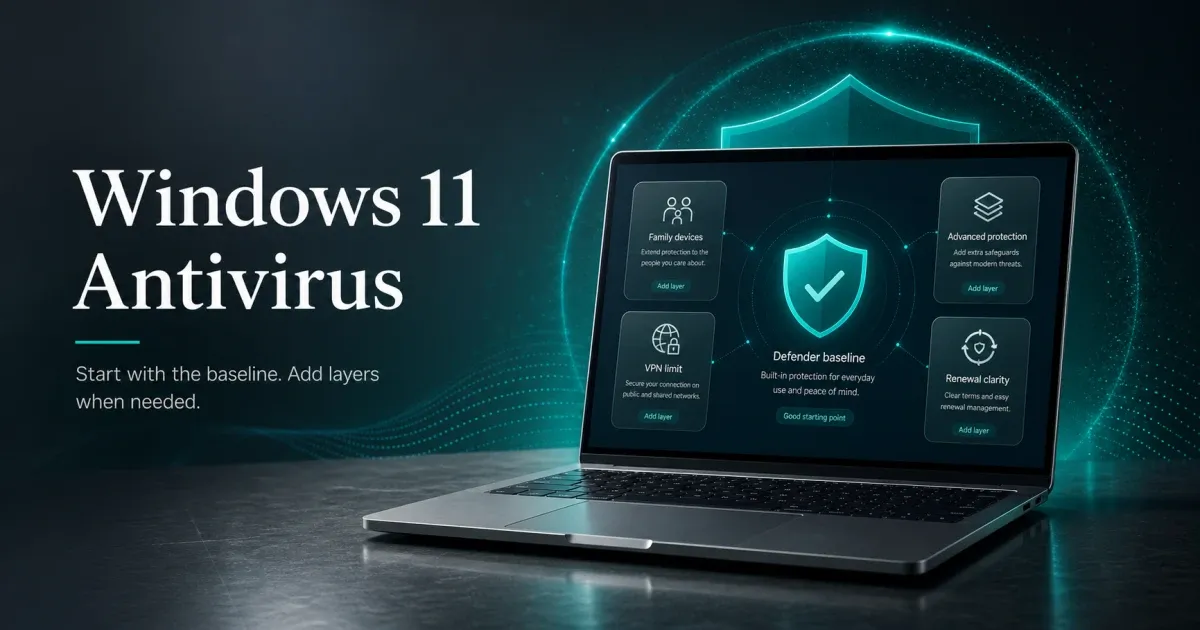
Windows 11's built-in security is genuinely better than earlier Windows versions. The honest question is not 'which antivirus should I buy.' It is 'do I need paid antivirus at all for my situation?'
Best for
Windows 11 users who want an honest answer about whether their built-in protection is sufficient, and which paid upgrade makes sense when it is not.
Avoid if
You are looking for a list that recommends paid antivirus to everyone regardless of situation.
Main tradeoff
Windows Defender is free and sufficient for careful users. Paid antivirus adds genuine value for specific household types.
Safer alternative
Microsoft Defender: built into Windows 11, no cost, no renewal.
Windows 11 changed the baseline security situation more than most antivirus marketing acknowledges.
The TPM 2.0 and Secure Boot requirements are not just marketing checkboxes. They raise the baseline for supported Windows 11 hardware. Microsoft Defender on Windows 11 also benefits from hardware-backed security features when the device supports and enables them.
This context matters because most antivirus roundups for Windows 11 are written by sites with financial incentives to recommend paid products. The honest starting point is: Windows Defender on Windows 11 is a solid baseline, and paid antivirus is worth buying only when your specific situation adds risk that Defender does not address.
For more context on the full antivirus market, see the best antivirus software overall.
Quick picks
| Pick | Best for | Year-1 price | Renewal |
|---|---|---|---|
| Windows Defender | Careful Windows 11 users | Free | Free |
| Bitdefender Total Security | Families, multi-device households | $59.99 listed first term | Check checkout |
| ESET HOME Security Essential | Solo users, older hardware | Check current price | Check checkout |
| Malwarebytes Premium | Extra layer alongside Defender | ~$44.99 | ~$59.99 |
Start here: do you actually need paid antivirus?
Decision flow
Windows 11 antivirus decision path
Most Windows 11 users can answer this in two steps.
- 01
Careful solo user
You keep Windows updated, do not download cracked software, mostly use mainstream sites and apps, and have no children sharing the machine.
Windows Defender is likely sufficient. No paid antivirus needed.
- 02
Family household or higher-risk user
Children use the machine, household members click unfamiliar links or download from unofficial sources, or you need protection across multiple devices.
Paid antivirus adds genuine value. See picks below.
- 03
Uncertain about habits
Not sure how careful your household actually is. Mix of users, mix of sites, mix of downloads.
ESET or Bitdefender at their entry price is a reasonable precaution
Windows Defender on Windows 11: the honest baseline
Microsoft Defender Antivirus is tested by independent labs, updated automatically through Windows Update, and integrated with the operating system rather than running alongside it.
For context, top paid products such as Bitdefender, ESET, and Norton still tend to sit near the top of lab charts. The practical detection gap between Defender and the best paid products is narrower than many affiliate roundups imply for careful home users.
What Defender does not include: a full consumer suite, bundled VPN, cross-device subscription dashboard, advanced rollback tools from a third-party vendor, or third-party support. Those are the real reasons to pay for something else, not fear that Defender is useless.
Source note: this draft uses Microsoft’s Windows security overview, Bitdefender’s Total Security page, ESET’s U.S. home protection plans, AV-TEST Windows home-user results, and AV-Comparatives’ April 2026 performance test for current baseline, vendor, and lab context. Bitdefender’s official U.S. Total Security page listed USD 59.99 for the Individual 5-device yearly first term when checked on June 30, 2026.
Myths about Windows 11 antivirus
Myth check
Myth vs reality
Security advice gets noisy fast. These are practical corrections for normal users, not scare tactics.
Myth
Windows 11 always needs third-party antivirus
Reality
Microsoft Defender on Windows 11 performs competitively in independent lab tests. It is a legitimate security tool, not a placeholder.
GuardPick take
Paid antivirus is worth it for specific situations. It is not universally necessary for all Windows 11 users.
Evaluate your actual risk: who uses the machine, what they download, and whether you need features Defender does not provide.
Myth
Free antivirus is always worse than paid
Reality
Windows Defender is free and performs comparably to paid products in detection rate testing. 'Free antivirus' from unknown vendors is a different and legitimate concern.
GuardPick take
Defender is the right free baseline. Third-party free antivirus from random sources is a real risk.
Use Defender as your free baseline. Add Malwarebytes Premium if you need a second layer for adware and PUPs.
Myth
Windows 11 is more vulnerable than Mac
Reality
Windows 11 with current updates, TPM 2.0, and Secure Boot has a stronger baseline than many older Windows setups. Macs are not immune to malware; they face adware, stealers, and phishing threats too.
GuardPick take
Platform comparison is less useful than understanding your own habits and household risk.
Keep Windows updated. Enable Secure Boot. Use a password manager. These basics matter more than antivirus brand selection.
Bitdefender Total Security: best paid pick for families
Best-list matrix
Quick pick matrix
Use this as a first-pass filter before comparing prices, renewals, and bundled extras.
Bitdefender Total Security
Check current priceBest for
Households with 3–5 Windows 11 devices who want parental controls and a set-and-forget paid suite.
Why it fits
Strong independent-lab history, 5-device coverage, and broader family/security features. Bitdefender's Family plan clearly packages parental controls for households that need them.
Watch out
The official Total Security Individual page listed $59.99 for the first yearly term when checked on June 30, 2026. Renewal and family-plan pricing should be verified at checkout.
Bitdefender is tested against current Windows builds and has a strong independent-lab history. The Autopilot mode is useful for non-technical users because it reduces the number of decisions they need to make.
The pricing friction is the part to check carefully. The value equation works best when you genuinely use multiple device slots or need family features. For a single Windows 11 machine, Microsoft Defender may be the better answer.
Start 30-day free trialESET HOME Security Essential: best for solo users and older hardware
Best-list matrix
Quick pick matrix
Use this as a first-pass filter before comparing prices, renewals, and bundled extras.
ESET HOME Security Essential
Check current priceBest for
Solo Windows 11 users who want a light, quiet paid option with a simpler product scope.
Why it fits
ESET's current product page emphasizes small system footprint, Gamer Mode, and Windows/Mac/Android coverage.
Watch out
Unlimited VPN and broader identity tools are in higher ESET tiers. Check the exact HOME plan and device count before buying.
ESET is the choice when the priority is a paid antivirus that runs quietly and does not create new management overhead. The current naming is ESET HOME Security Essential, but many users still search for ESET Internet Security.
For Windows 11 users on older hardware, especially machines that barely meet the Windows 11 requirements, ESET’s lighter-footprint positioning is a practical consideration.
Start 30-day free trialWho each pick is for
Audience match
Match the pick to the person
The safest choice changes by habits, budget, and who manages the device.
Reader profile
Careful Windows 11 solo user
Recommended choice
Windows Defender
Why
Built in, free, regularly tested, no renewal management needed.
Avoid / watch out
Does not include parental controls, VPN, or multi-device management.
Reader profile
Family household, children on the machine
Recommended choice
Bitdefender Total Security or Family plan
Why
Multi-device coverage, broad suite features, and clearer family-control packaging.
Avoid / watch out
Check the exact family-plan price and renewal before buying.
Reader profile
Solo user who wants paid peace of mind
Recommended choice
ESET HOME Security Essential
Why
Lighter-footprint positioning and cleaner product scope.
Avoid / watch out
Check the exact HOME plan features before buying.
Reader profile
Windows 11 user on older hardware
Recommended choice
ESET HOME Security Essential
Why
Small-footprint positioning matters on constrained hardware.
Avoid / watch out
Higher-tier features such as unlimited VPN may require a different ESET plan.
Reader profile
User who wants extra protection alongside Defender
Recommended choice
Malwarebytes Premium
Why
Can add a focused cleanup layer for adware and potentially unwanted programs.
Avoid / watch out
Use deliberately alongside Defender. Do not stack multiple full suites.
Pricing comparison
| Plan | Devices | Year 1 | Renewal | |
|---|---|---|---|---|
| Windows Defender | Unlimited | $0.00 | — | Read guide → |
| ESET HOME Security Essential | Varies | $59.99 | — | Check current price → |
| Bitdefender Total Security Individual Best value | 5 devices | $59.99 | — | Check current price → |
| Malwarebytes Premium (1 device) | 1 device | $44.99 | $59.99 | View deal → |
Check current price Check current price
Editorial method
How this was checked
GuardPick reviews combine a real-world Windows user angle with source checks, pricing context, and safer alternatives. We are not an antivirus lab, and we do not treat affiliate payouts as a recommendation signal.
- 01
Real-world angle
We look at whether the product makes sense for normal Windows users, not only benchmark charts.
- 02
Independent research
When lab data is used, we name the source and date instead of repeating vague marketing claims.
- 03
Pricing check
Intro prices, renewal jumps, trial limits, and cancellation friction are part of the verdict.
- 04
Alternatives considered
Windows Defender and lower-cost options stay on the table when paid software is not necessary.
Related reading
ESET review · Is Windows Defender enough? · Windows Defender vs paid antivirus · How to choose antivirus software