Last reviewed: July 4, 2026
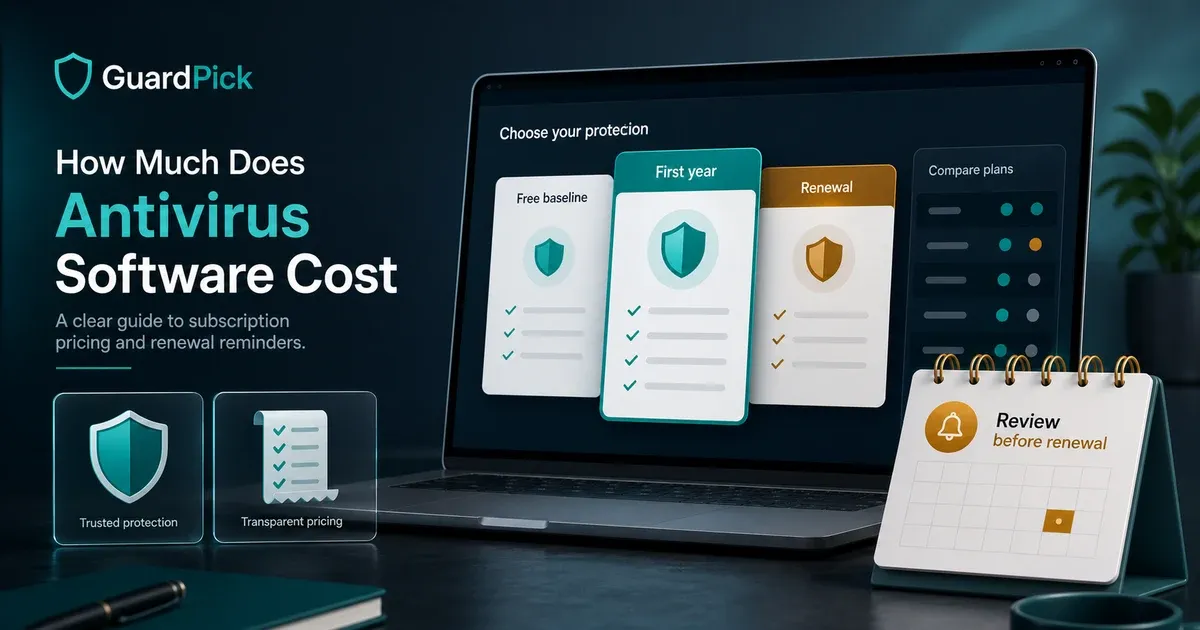
Antivirus pricing is confusing in a specific and deliberate way. First-year prices are promotional rates designed to get you to subscribe. Renewal prices are the actual ongoing cost. The gap between them is significant — and most antivirus marketing leads with the first-year number.
This guide breaks down what you are actually paying, what you get at each price point, and when free is sufficient.
The pricing structure to understand first
Every major antivirus vendor uses a two-tier pricing model:
First-year promotional price: Heavily discounted. Often 60–75% below the standard price. Used in advertising and on the main product page.
Renewal price: What you pay starting in year two. This is the actual ongoing cost of using the product.
Most users discover the renewal price when they see a charge on their card — not when they make the initial purchase.
| Product type | What to check before buying |
|---|---|
| Discounted full suites | First-term price, renewal price, device count, VPN limits, and cancellation settings |
| Focused anti-malware tools | Whether renewal is close to first-year price and whether it covers enough devices |
| Bundled VPN suites | Whether the VPN is unlimited or capped, and whether renewal makes the bundle worth it |
| Free baseline | Whether Microsoft Defender plus good habits already covers your actual risk |
Free antivirus: what it covers
Windows Defender (Microsoft): Built into every Windows 10 and Windows 11 installation. Real-time protection, automatic updates through Windows Update, and integration with Windows Security Center. Recent AV-TEST home-user results place Microsoft in the top consumer tier often enough that careful users should treat it as the free baseline.
For careful Windows users who:
- Keep Windows updated
- Download from mainstream sources (not cracked software)
- Do not have children using the machine
- Do not need VPN or multi-device coverage
Defender is sufficient. The honest statement most antivirus review sites avoid: free is enough for this profile.
What Defender does not provide: Parental controls, VPN, identity monitoring, multi-device management from a single account, advanced ransomware rollback, or dedicated customer support. These are the reasons to pay.
What you get at each price point
| Price range | What you get |
|---|---|
| Free (Defender) | Real-time malware protection, auto-updates, Windows integration, no extras |
| $20–$40/year (first year) | Same protection quality, one or two extras (VPN cap, basic scanner), limited device count |
| $40–$60/year | Multi-device, parental controls or VPN (usually capped), dedicated support |
| $80–$125/year | Full suite: unlimited VPN, identity monitoring, parental controls, 5+ devices |
The detection quality at the top tier of independently-tested products is similar across all paid price points. Higher prices buy bundled features and device count, not meaningfully better malware detection.
When paid antivirus is worth the cost
The honest answer: paid antivirus earns its price for specific situations.
Worth paying for:
- Households with children who need parental controls (Defender does not include this)
- Users who regularly use public Wi-Fi and want a VPN included
- Multi-device households where centralized subscription management is simpler than individual Defender on each machine
- Users who want dedicated technical support and not just Windows Security logs
- Users who want advanced ransomware rollback or email security features
Not worth paying for:
- Careful solo Windows users with current Windows and careful download habits
- Users who only need better detection — Defender’s detection is at the top tier
- Users expecting paid antivirus to fix a slow PC (it will not)
Which products offer the best value
Best value overall: ESET Internet Security, if you want a lighter paid product with a more predictable pricing story than many bundled suites.
Best value for families: Bitdefender Total Security, if you use the multi-device coverage and family-oriented extras. Verify renewal terms before checkout.
Best value for single device: Emsisoft Anti-Malware, if you want a focused security tool rather than a large bundle.
Best free: Windows Defender, already installed and good enough for many careful Windows users.
Editorial method
How this was checked
GuardPick reviews combine a real-world Windows user angle with source checks, pricing context, and safer alternatives. We are not an antivirus lab, and we do not treat affiliate payouts as a recommendation signal.
- 01
Real-world angle
We look at whether the product makes sense for normal Windows users, not only benchmark charts.
- 02
Independent research
When lab data is used, we name the source and date instead of repeating vague marketing claims.
- 03
Pricing check
Intro prices, renewal jumps, trial limits, and cancellation friction are part of the verdict.
- 04
Alternatives considered
Windows Defender and lower-cost options stay on the table when paid software is not necessary.
Related reading: Best antivirus software overall · Is Windows Defender enough? · How to choose antivirus
Sources
- AV-TEST home-user antivirus results
- Microsoft Security documentation for Windows Security and Defender
- Vendor pricing pages checked through GuardPick affiliate records where available