Last reviewed: July 25, 2026
GuardPick snapshot
The short version
Driver Booster 13 can save time on an older or rebuilt PC, but most Windows users should begin with Windows Update and official manufacturer tools.
Best for
Multiple unknown devices after reinstalling Windows, particularly on older or mixed hardware.
Avoid if
Your devices work normally or you only want the latest supported graphics driver.
Main tradeoff
Broad, convenient scanning versus more commercial prompts and less direct control over the driver source.
Safer alternative
Windows Update, followed by the PC maker or NVIDIA, AMD, and Intel support tools.
Product fit
Who This product fits best
This is an editorial fit check, not a lab score. It is meant to help you decide whether the product matches your situation.
Good fit
- A fresh Windows installation with several unidentified devices.
- Older or mixed hardware whose original support pages are difficult to navigate.
- A user who understands restore points and will review updates rather than install everything blindly.
Poor fit
- A healthy Windows 11 PC with no Device Manager warnings.
- A gamer who only needs official NVIDIA, AMD, or Intel graphics updates.
- Anyone who dislikes cross-promotions or does not want another background utility.
Best use case: Use the free scan as a second opinion after Windows Update and official support tools leave several devices unresolved.
Watch out: Do not treat the number of 'outdated' drivers as proof that the PC is slow or unsafe.
What Driver Booster does
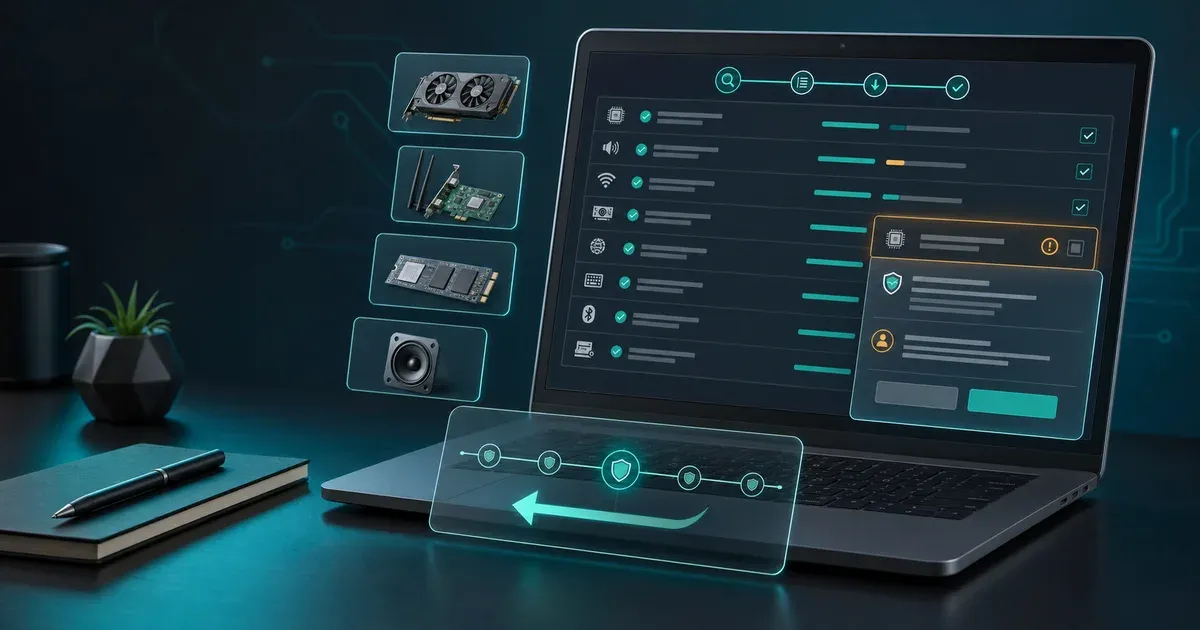
Driver Booster compares detected hardware with IObit’s driver catalog, then offers downloads and installation through one interface. IObit’s current product page identifies the major release as Driver Booster 13 and markets support for hardware from more than 1,200 brands (IObit).
The catalog size sounds impressive, but it is not the deciding metric. What matters is whether the proposed package is correct for your exact PC and solves a real problem.
Microsoft says Windows 11 automatically installs recommended drivers and exposes optional packages through Windows Update (Microsoft Support). That built-in route should finish before Driver Booster enters the process.
Real strengths
Marketing vs usefulness
Feature reality check
Antivirus suites often bundle useful-sounding extras. The question is whether each one changes the buying decision.
Broad driver matching
Sounds useful because
One scan can identify audio, networking, chipset, graphics, USB, and peripheral drivers.
Reality check
This is most valuable after a reinstall on older mixed hardware. On a current mainstream PC, Windows and the manufacturer usually cover the same need.
GuardPick take
Breadth is a time saver only when several genuine gaps exist.
Restore points and rollback
Sounds useful because
A recovery path matters if a new driver causes instability.
Reality check
IObit says Driver Booster can automatically create restore points and retain previous driver versions. Confirm the setting is enabled before applying a batch.
GuardPick take
This is one of the product’s most important features, not an optional extra.
WHQL and security checks
Sounds useful because
Driver provenance is central to safety.
Reality check
IObit says it prioritizes Microsoft WHQL-tested packages and applies its own review. That reduces uncertainty but does not guarantee the best model-specific match.
GuardPick take
Treat these as safeguards, while still preferring an official OEM package when available.
Game-related updates
Sounds useful because
Graphics, audio, and gaming components can affect compatibility.
Reality check
A general catalog is convenient, but GPU makers publish their own drivers, release notes, and game-specific fixes.
GuardPick take
Use NVIDIA, AMD, or Intel directly for graphics updates.
The risks and annoyances
Driver matching
A driver can install successfully and still be the wrong choice for a laptop’s customized power, audio, or input features. Review the device name, provider, and proposed version. On a branded PC, compare it with the model-specific support page.
Upsells
IObit’s products promote other IObit utilities. Offers and placement can change, but the commercial ecosystem is part of the experience. Read installer screens, decline software you did not ask for, and avoid treating every health prompt as a required repair.
System impact
Driver Booster adds scanning, notifications, and optional background behavior. That overhead should be modest on a current PC, but it is still unnecessary if Windows already maintains the system. Disable unneeded startup and scheduled features, or uninstall the tool after resolving a one-time rebuild.
Free versus Pro
The free edition is the right starting point because it shows whether Driver Booster finds anything that Windows and official support tools missed. Pro primarily sells convenience: a broader and faster automated workflow, scheduled behavior, and additional features described in IObit’s current comparison.
The /trial/ route leads to IObit’s available free option. It should not be interpreted as a guaranteed time-limited Pro trial; verify the current terms on the destination page.
Pricing and renewal
Pricing
First year
$22.99
Renewal (year 2+)
$39.99 +74%
⚠️ Note: renewal price increases significantly after year 1. Set a calendar reminder before auto-renewal.
Prices last checked: Jul 2026. May vary. Affiliate disclosure.
Our affiliate record lists $22.99 for the introductory year and $39.99 for renewal. IObit promotions can change, so the checkout is the source of truth for device count, term, taxes, auto-renewal, and cancellation conditions.
This pricing gap matters. Driver Booster may be worth a one-time year during a rebuild, but a recurring subscription is harder to justify once every device works.
✅ Pros
- Can reduce manual driver searches on older or rebuilt PCs
- Batch workflow is convenient when several devices are genuinely unresolved
- Restore-point and rollback controls support safer recovery
- Free edition provides a low-cost way to inspect recommendations
❌ Cons
- Adds little value to a stable modern PC
- Third-party matching is less direct than OEM or component-maker support
- Cross-promotions make the experience more commercial
- Renewal costs more than the recorded introductory offer
Who should buy it?
Buy only if all three are true:
- Windows Update has finished and the PC has restarted.
- The PC maker or component maker has not resolved multiple missing devices.
- Saving time across those devices is worth more than the subscription and review effort.
Avoid it if you want a general “speed boost,” if every device already works, or if your only task is updating a graphics card. Windows Update is enough for many careful users, and official GPU tools are the better specialist option.
Alternatives
- Windows Update: best default for recommended and optional Windows drivers.
- PC maker support: best for laptops and prebuilts with customized packages.
- NVIDIA app, AMD Software: Adrenalin Edition, or Intel Driver & Support Assistant: best for supported component-specific updates.
- Device Manager hardware IDs: slower, but useful for identifying an unknown device before downloading anything.
GuardPick verdict
Driver Booster is functional, but its value is situational. We rate it 3.4/5: useful breadth and recovery tools, balanced against limited necessity, third-party matching risk, cross-promotions, and renewal economics.
Try the free route first. If it solves a real identification problem that official sources did not, then compare the current Pro terms.
Check current priceEditorial method
How this was checked
GuardPick reviews combine a real-world Windows user angle with source checks, pricing context, and safer alternatives. We are not an antivirus lab, and we do not treat affiliate payouts as a recommendation signal.
- 01
Real-world angle
We look at whether the product makes sense for normal Windows users, not only benchmark charts.
- 02
Independent research
When lab data is used, we name the source and date instead of repeating vague marketing claims.
- 03
Pricing check
Intro prices, renewal jumps, trial limits, and cancellation friction are part of the verdict.
- 04
Alternatives considered
Windows Defender and lower-cost options stay on the table when paid software is not necessary.
Related reading: Best driver updater for Windows · Is IObit safe?