Last reviewed: June 27, 2026
GuardPick snapshot
The short version
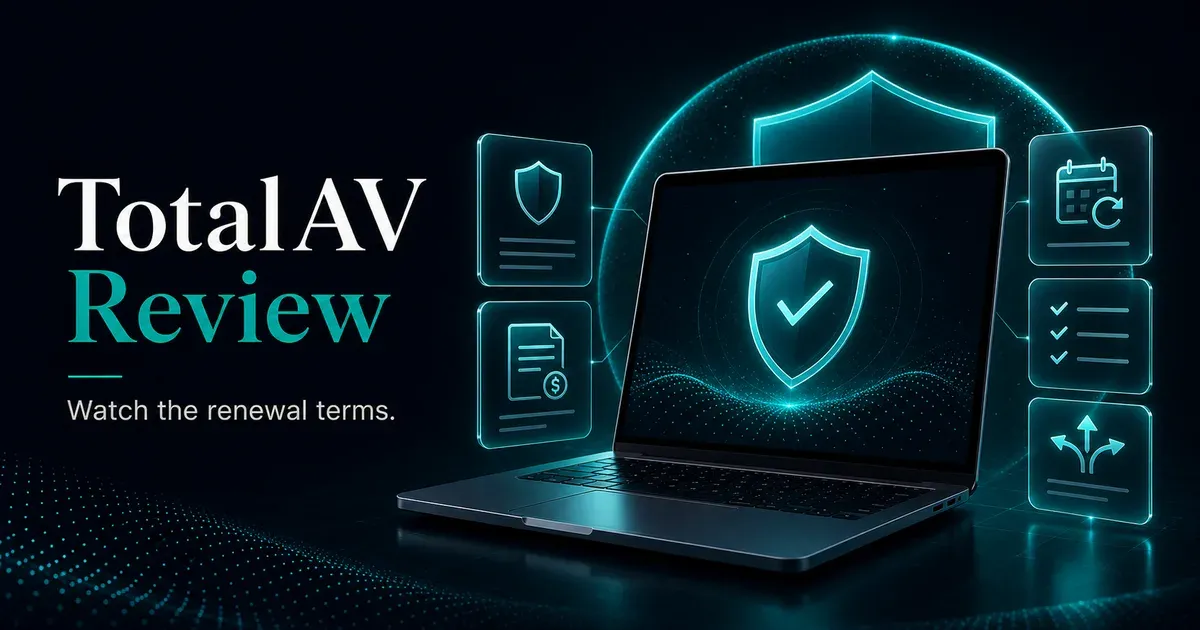
TotalAV is real antivirus software, but the renewal and cancellation patterns are serious enough that pricing clarity becomes the main buying issue.
Best for
Users who knowingly want a low first-year antivirus price and will actively manage renewal settings.
Avoid if
You dislike auto-renewal surprises, cancellation friction, or software that requires close subscription monitoring.
Main tradeoff
The software is usable; the trust problem is the billing model around it.
Safer alternative
Microsoft Defender for careful users, or Bitdefender/ESET if you want a paid suite with stronger independent positioning.
Editorial method
How this was checked
GuardPick reviews combine a real-world Windows user angle with source checks, pricing context, and safer alternatives. We are not an antivirus lab, and we do not treat affiliate payouts as a recommendation signal.
- 01
Real-world angle
We look at whether the product makes sense for normal Windows users, not only benchmark charts.
- 02
Independent research
When lab data is used, we name the source and date instead of repeating vague marketing claims.
- 03
Pricing check
Intro prices, renewal jumps, trial limits, and cancellation friction are part of the verdict.
- 04
Alternatives considered
Windows Defender and lower-cost options stay on the table when paid software is not necessary.
Product fit
Who TotalAV fits best
This is an editorial fit check, not a lab score. It is meant to help you decide whether the product matches your situation.
Good fit
- Budget-first-year buyers who understand the renewal terms.
- Users who want a simple interface and will monitor subscription settings.
- People comparing TotalAV with alternatives before checkout.
Poor fit
- Non-technical users who may miss renewal or cancellation settings.
- Anyone who wants a quiet, low-friction subscription experience.
- Buyers who mainly want the strongest independent lab positioning.
Best use case: A cautious buyer comparing first-year price against renewal risk.
Watch out: Billing clarity matters more here than the feature list.
I am going to start with the thing most TotalAV reviews bury at the bottom: the billing complaints are real, documented, and consistent across platforms. Trustpilot, ComplaintsBoard, Reddit, and BBB show the same pattern: unexpected auto-renewal charges, prices users say did not match expectations, and difficult cancellation.
This does not mean TotalAV is fake antivirus software. It installs, scans, and can find malware. But selling security software through a billing model that generates this level of documented user complaints creates a trust problem that antivirus performance cannot overcome.
What TotalAV actually does well
The software itself is functional. The interface is clean and straightforward, and it is easier to navigate than Bitdefender or ESET for some non-technical users. Real-time protection catches everyday threats. Higher-tier plans bundle a VPN and password manager.
First-year pricing at $19 for the entry plan is genuinely low. If that’s your entire evaluation criteria, TotalAV wins on entry cost.
The billing problem
The complaint volume across consumer review platforms is substantial and consistent. Multiple users report being unable to unsubscribe, describing cancellation as intentionally complicated. One documented complaint describes receiving confirmation of a $29 renewal, then being charged $119. Others report being charged without advance notification after years of use.
The pattern: low introductory price, significant renewal increase, auto-renewal with inadequate notice, cancellation that takes more effort than it should.
Billing friction
TotalAV checkout and renewal checks
These are the specific friction points to review before buying. This is not a fraud claim; it is a subscription-management warning.
Intro price vs renewal
HighWhat to check
Compare the advertised first-year price with the renewal amount shown in account or checkout terms.
Why it matters
A low first year can become a much higher ongoing subscription.
Auto-renewal default
HighWhat to check
Find where auto-renewal can be viewed or changed immediately after purchase.
Why it matters
Users who forget renewal dates are more likely to be surprised by year-two charges.
Cancellation path
MediumWhat to check
Confirm how cancellation works before the renewal window, not after a charge appears.
Why it matters
Documented complaints often mention cancellation friction and unclear account steps.
Pricing: what it actually costs
Pricing clarity
TotalAV renewal check
Introductory pricing can be meaningfully different from the price you pay after the first term. Verify the renewal terms before checkout.
First term
$19.00
Often the advertised price. Confirm device count, term length, and included features.
Renewal
$119.00
This is the number that matters if auto-renewal stays enabled after year one.
Before you buy
Screenshot your checkout price, find the cancellation settings immediately, and set a reminder before the first renewal date. Prices last checked: June 2026.
Affiliate link. Review the renewal terms before checkout.
Price timeline
TotalAV pricing over time
Look past the first checkout screen. Renewal and cancellation timing are part of the real cost.
- 01
First term
$19 first year for the entry plan, based on the current article data.
- 02
Renewal
$99-$119 per year depending on plan and offer terms.
- 03
Checkpoint
Screenshot checkout, locate cancellation settings, and set a reminder 30 days before renewal.
Last checked: June 2026. Prices can change. Treat checkout terms as the source of truth before buying.
Check current TotalAV priceWhat to do if you buy TotalAV:
- Screenshot your order confirmation with the price
- Set a calendar reminder 30 days before your renewal date
- Locate the cancel setting immediately after purchase
- Don’t wait until the renewal notice arrives
Better alternatives
Bitdefender Antivirus Plus starts at $12.99 per year, cheaper than TotalAV’s introductory price, and has consistently strong independent lab scores. ESET Internet Security has more transparent renewal pricing. Windows Defender is free with no billing surprises.
Comparison brief
TotalAV vs safer alternatives
TotalAV can work as software, but the buying experience deserves extra caution.
TotalAV
Best for
Budget-first-year buyers who will monitor renewal settings.
Watch out
Billing complaints, renewal jumps, and cancellation friction.
Bottom line
Usable software, weaker trust profile.
Microsoft Defender
Best for
Careful users who want no subscription risk.
Watch out
No bundled extras and less hand-holding outside Microsoft tools.
Bottom line
The safest billing choice is free.
Bitdefender or ESET
Best for
Users who want paid protection with stronger independent positioning.
Watch out
Still check renewal terms before checkout.
Bottom line
Better paid alternatives for most buyers.
Sources and last checked notes
- TotalAV product and pricing page: https://www.totalav.com/antivirus-pro
- TotalAV affiliate pricing data in
src/content/affiliates/totalav.yaml - AV-TEST, Windows home-user antivirus test results archive: https://www.av-test.org/en/antivirus/home-windows/
- AV-Comparatives test archive: https://www.av-comparatives.org/tests/
- Better Business Bureau, TotalAV complaints profile: https://www.bbb.org/
- Trustpilot, TotalAV review patterns: https://www.trustpilot.com/